

Table of Contents
Smart home devices worth buying are changing how we live and manage our spaces, but choosing the right gadgets in 2026 means cutting through hype, market growth, and technical confusion. Here’s exactly where to invest for convenience, energy savings, and long-term value—without falling for expensive toys or frustrating setups.
Key Takeaways
- The smartest buys are devices that provide reliability, easy integration, and clear daily value—think smart thermostats and robot cleaners, not just flashy tech.
- Most owners face issues like inconsistent compatibility, security worries, and unreliable performance—choose platforms and brands with excellent update histories, not just big promises.
- Practical planning matters: set realistic expectations, prioritize systems that fit your lifestyle, and avoid “all-in” automation until you see real results with a few essential products.
What Makes Smart Home Devices Worth Buying in 2026?
Smart home tech is everywhere now, but not every device earns its keep. A “worth buying” smart device is one that reliably saves you time, money, or effort—without making daily life more complicated. In the last two years, global sales of smart home gadgets like robot vacuums, security cameras, and smart thermostats have climbed, reaching over 892 million units in 2024 and forecasted to pass 930 million units in 2025. Adoption is being pushed by emerging markets, AI integration, and greater consumer comfort with home ecosystems.
The best smart home devices balance three things: affordability, integration, and quality of life improvement. They must work with your existing platforms (like Alexa or Google Home), offer solid manufacturer support, and prove their relevance day after day. The fastest growing segments in 2026 remain security systems, robot cleaners, and energy management products—even more so in U.S. markets, with household penetration rising by 39% by 2027 (source).

Popular brands like Roborock, Eufy, Dreame, and Narwal have surged ahead by focusing on core needs, especially in robot cleaning and security, while sustaining competitive pricing. But selecting a device is more than picking the biggest brand: it means looking for consistent software updates, real interoperability, and features that actually fit your life.
If you want functional curation, see related practical guides like Smart Thermostat Upgrade or reviews for the Best Robot Vacuum Mop Combo 2026—each brings context from real homeowner challenges.
Step-by-Step Guide: How to Choose & Integrate Smart Home Devices
Jumping into smart home tech without a plan leads to frustration. Here’s a blueprint to get the most from your investment, whether starting from zero or expanding your setup:
- Identify daily pain points. List tasks you want automated or made easier (e.g., controlling temperature, reducing effort spent vacuuming, securing entry points).
- Research device categories and platforms. Focus on proven categories such as smart thermostats, security cameras, and robot cleaners. Check for compatibility with platforms you already use (Alexa, Google, Apple HomeKit).
- Read the update policy and privacy statement. Brands that commit to frequent software updates tend to offer better long-term value and less security risk.
- Start with one or two devices. Don’t buy an entire ecosystem at once. Begin with products that solve the most obvious issue in your home—like a voice-controlled thermostat or a robot vacuum for daily dust control.
- Test, then expand. Ensure initial devices work flawlessly before connecting more. Integration issues often emerge as systems grow.
- Automate with routines, not just devices. When stable, create multi-device routines: e.g., thermostat lowers when you arm your smart security system.
- Revisit integration every 6–12 months. Platforms update, and new standards arise (like Matter, Zigbee, or Z-Wave). Confirm all devices stay compatible and updated.
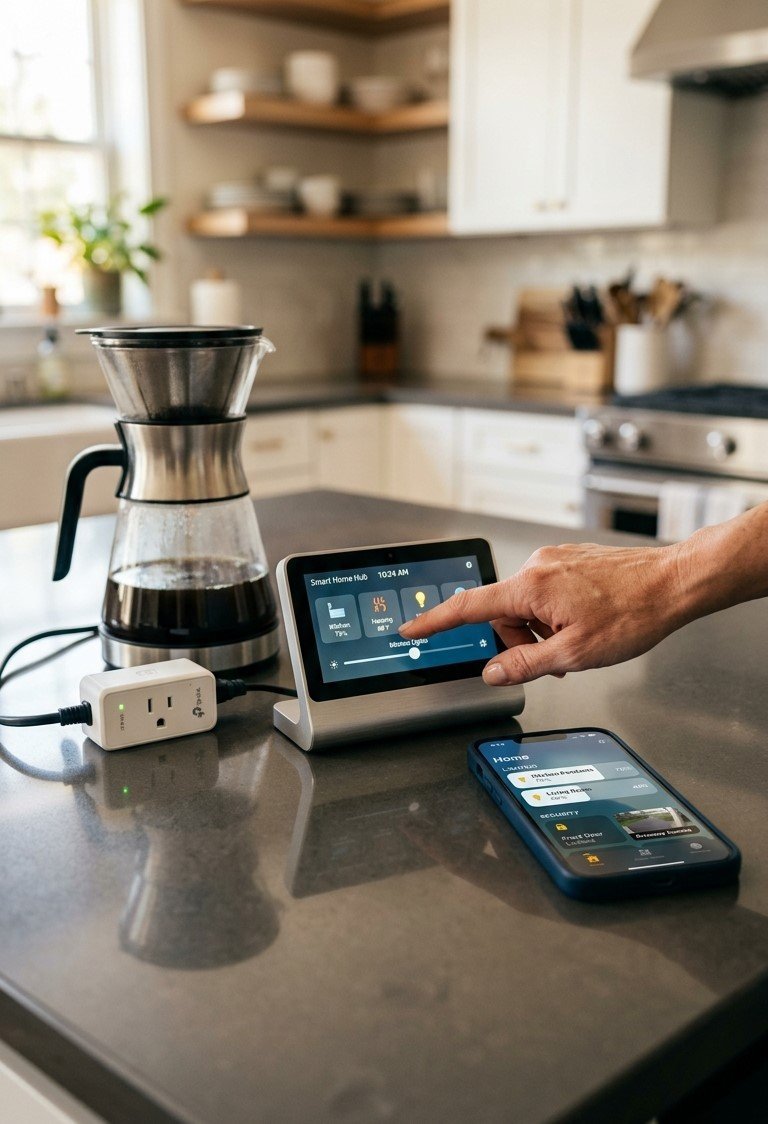
If you’re ready to add more convenience, look for overlooked opportunities. For example, a smart garage door opener lets you check, open, or lock your garage remotely—solving a real pain point and integrating easily with Alexa or Google Assistant. Or, if you crave energy savings, a window upgrade paired with a smart thermostat maximizes environmental comfort and cost control.
Don’t underestimate small wins: automating lights, doorbells, or even starting with one affordable DIY smart switch can make routine tasks easier and set you up for future expansion.
Advanced Analysis & Common Pitfalls to Avoid
Even as the smart home market booms, users repeatedly hit the same hurdles. These are the most common pitfalls—plus how to sidestep them:
- Inconsistent compatibility: Not all devices play well with every platform. New standards like Matter are improving things, but in 2026, manufacturers still have uneven support. Check protocol (Zigbee, Wi-Fi, Z-Wave) before purchasing.
- Security oversights: Many users skip the basics. Always change default passwords and update device firmware promptly. Devices with poor update policies become security risks if left unchecked.
- Integration headaches: Adding competing brands or unsupported devices can break automations. When possible, stick with brands committed to long-term support and open compatibility.
- Hidden maintenance: Some gadgets (especially robot cleaners and surveillance gear) require periodic cleaning, filter swaps, or battery changes, which aren’t clear up front.
- Overbuying automation: Adding too many devices at once almost always causes setup frustration. Start small, automate only what’s impactful, and grow from there.
| Category | Top Brand (2026) | Protocol(s) | Typical Energy Use | Integration | Update Support |
|---|---|---|---|---|---|
| Robot Vacuum/Mop | Roborock | Wi-Fi, Zigbee (some models) | ~40W (active) | Alexa, Google Home (limited Apple) | Excellent (quarterly firmware) |
| Smart Thermostat | Nest (Google), Ecobee | Wi-Fi, Zigbee | ~1W (idle) | Alexa, Google, HomeKit | Excellent (quarterly+ bug fixes) |
| Smart Security Camera | Eufy, Arlo | Wi-Fi, Zigbee | 5–10W (active) | Alexa, Google (Eufy Home for advanced) | Good (patches vary) |
| Smart Garage Opener | myQ | Wi-Fi | 8W (standby) | Alexa, Google (via integrations) | Good (annual updates) |
According to industry research, over 84.9% of smart home devices use Zigbee, Wi-Fi, or Z-Wave for connectivity (2024), which generally ensures solid reliability. But check that each device explicitly lists support for your ecosystem before buying. For deep dives into must-have upgrades by room, see Home Office Renovation Guide and Kitchen Island Upgrade Guide.
Conclusion
In 2026’s crowded market, only a few smart home devices worth buying truly stand out. When choosing smart home devices worth buying, focus on automation that solves real, daily problems with reliable and update-friendly products. The best smart home devices worth buying are the ones that make life easier without adding unnecessary complexity.
Avoid the urge to over-automate your home. Instead, integrate smart home devices worth buying slowly and make sure each device delivers clear daily benefits. By choosing only smart home devices worth buying, you can build a system that is efficient, simple, and future-proof.
Start building your home’s future by researching integrations, reading independent comparisons, and prioritizing smart home devices worth buying for your actual needs—not just because they’re trending. Ready to optimize your home? Explore practical guides and choose the first of the smart home devices worth buying that solves a real pain point today.
Frequently Asked Questions
What are the most reliable smart home devices worth buying right now?
Smart thermostats (like Nest or Ecobee) and robot vacuums (such as Roborock) remain top picks for reliability, ease of use, and proven utility in daily life. Look for brands that offer frequent updates and excellent platform compatibility.
Are budget smart home devices a good idea in 2026?
Yes, but only if they’re from brands with a track record of security updates and integration. Avoid no-name devices lacking clear update policies, as these can become security risks.
How do I avoid compatibility issues between new and old smart devices?
Stick to devices supporting the latest universal standards like Matter, Zigbee, and robust cloud integration. Before purchase, confirm your platform (Alexa, Google, Apple) is fully supported by each device.
What’s a simple automation to start with if I’m a beginner?
Automated temperature control using a smart thermostat, or scheduled cleaning through a robot vacuum, are practical first steps that deliver real daily benefits.
How often do smart home devices need firmware updates?
Top brands typically issue quarterly or more frequent updates. Check devices monthly for new firmware, and always apply critical security patches promptly.
